How to create a Discord account and join the EOS Community on Discord
Creating a Discord Account
The first step is to go to the Discord website and create a Discord account.
Information about Discord can be found here:
Read here about the four steps to a super safe Discord account.
Join the EOS Community Discord Server
Visit the EOS Community Discord server and accept the invite.
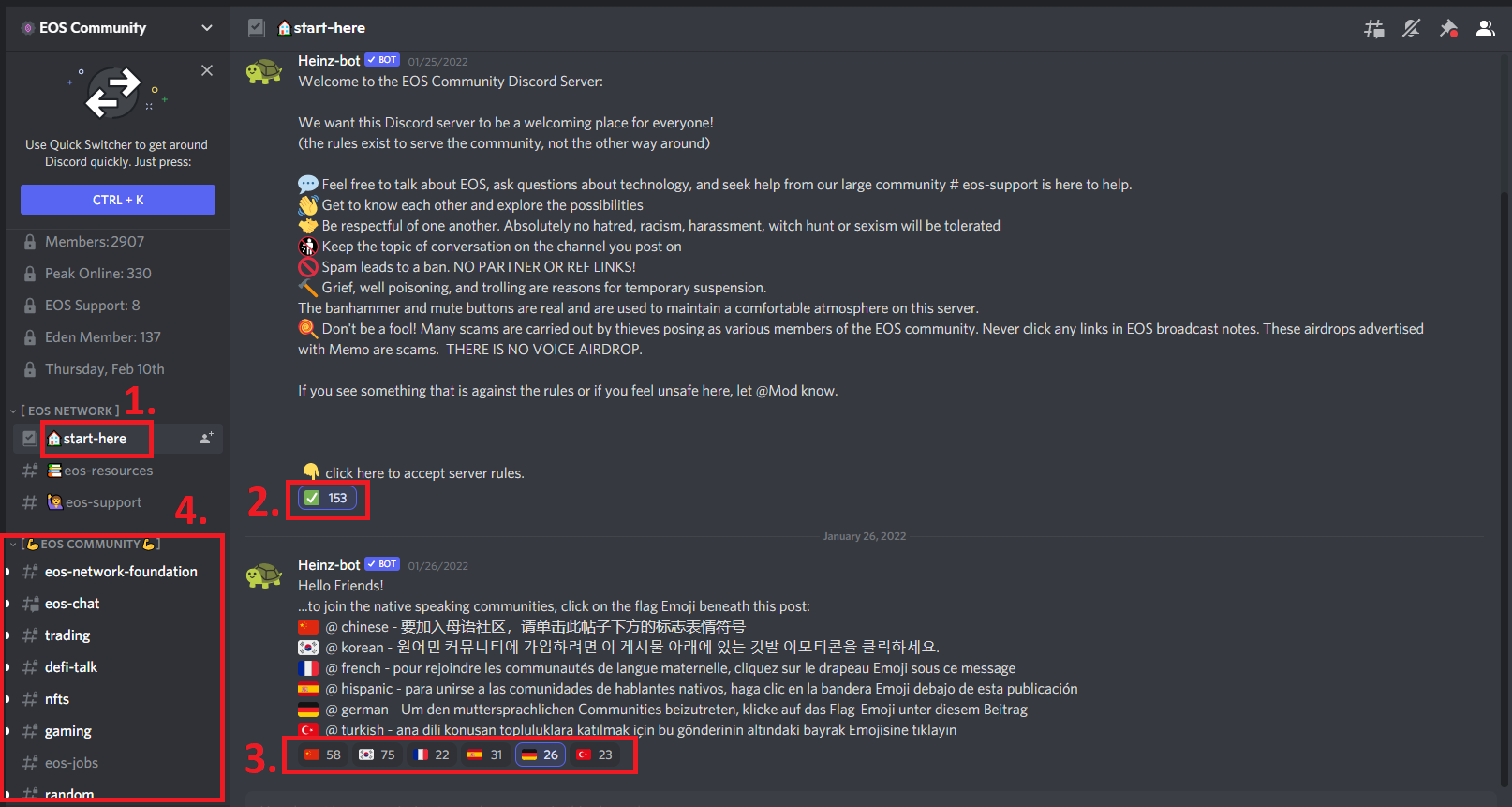
Click 1. to see the Welcome message.
Click 2. ✅ for the channels to appear in your menu. To get more roles, click 3, the other icons (for a different language role)
Click 4. on any channel to chat.
Troubleshoot Voice Chats
If others don't hear your Voice, check your Voice & Audio Settings.
Ensure the accurate microphone is activated and check if it's working.
Make sure you have "Voice Activity" activated. If you have "Push to Talk (Limited)," Voice might work when you are on a Discord app, but it might not work on a browser.
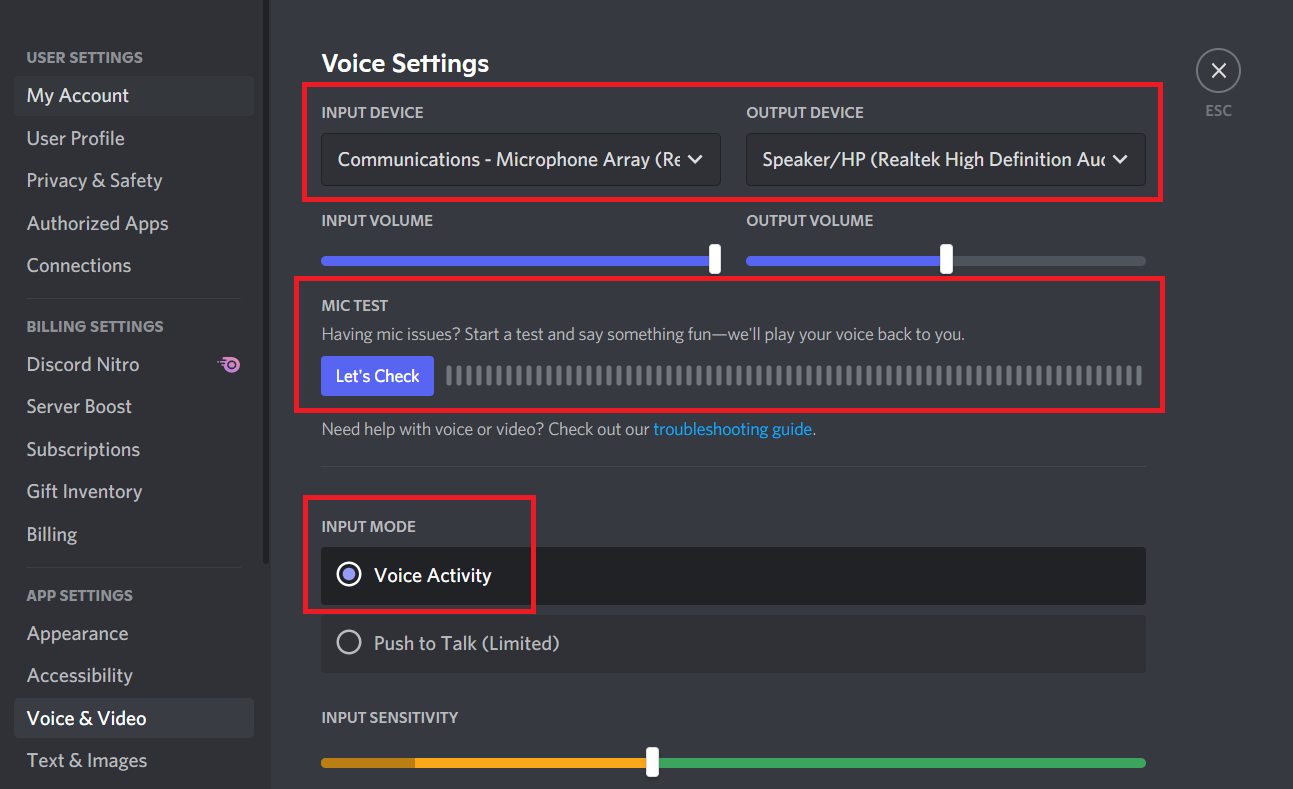
After configuration, if you are using a browser, restart your browser, double-check the Settings, and then connect to the Voice chat again.
Author: Dario Cesaro
Editor: Randall Roland
Translator: -
Sources & References:
Last updated:
Was this article helpful?
Have a specific question about this article?