How to proxy your Token Voting Rights for EOS Support with Wombat + Earn Rewards
EOS holders can engage in decision-making by voting for BPs. To earn rewards, they should delegate their votes to a proxy. The proxy will select the appropriate BPs to ensure stable and high yields for the token holders.
In this guide, I will demonstrate how to lend your EOS on REX and delegate your votes to the EOS Support proxy for rewards using the Wombat Wallet.
Note: We are using the Wombat Wallet in this guide. It is possible to sign the transaction using other EOS Wallets like Anchor Wallet.

Note: In this example we delegate our votes to the EOS Support proxy. More Information on where to stake you can be found in this article.
Prerequisites:
Wombat Wallet browser extension (or other wallets)
EOS account with EOS to stake
EOS Account imported into your Wombat Wallet
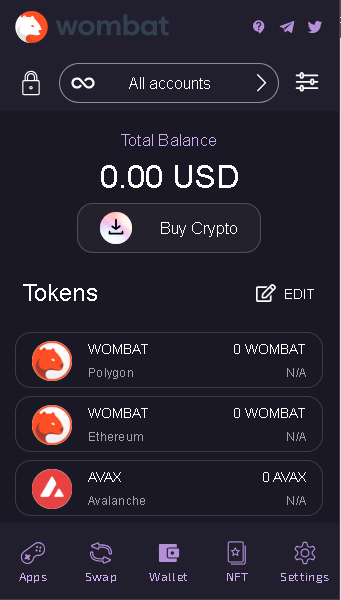
First, you want to ensure you're logged into your Wombat Browser Extension and that the correct EOS Account is selected. So log in and click on All accounts:
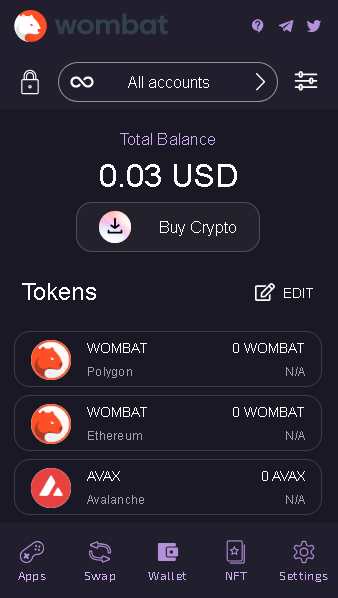
Choose the EOS account where you hold your tokens (click on it), and then click SAVE. In this example, we have used the test account thian.gm.
Now, with your browser, navigate to the bloks.io website and click on Login.
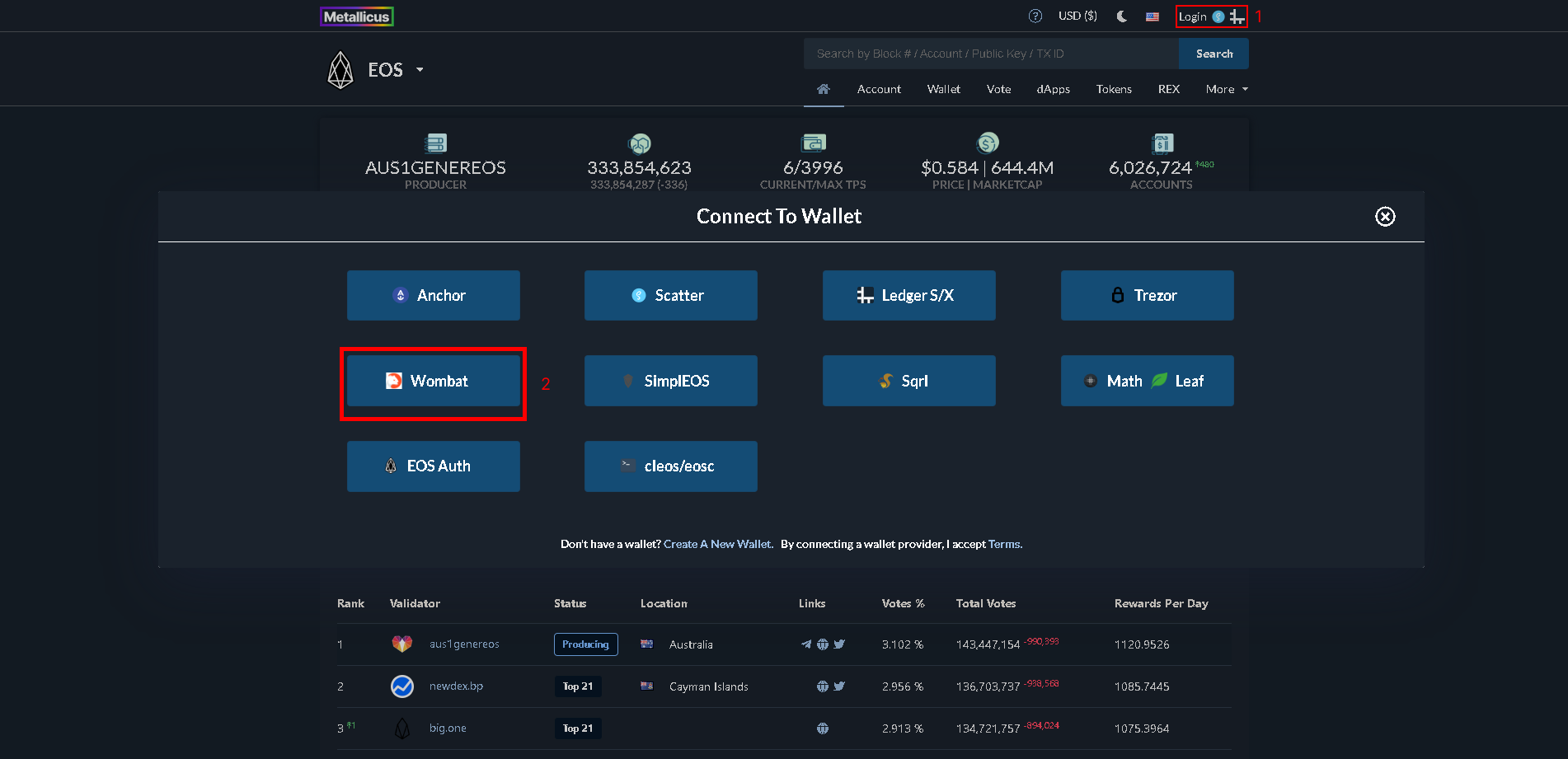
1. Click on Login.
2. Select your Wombat Wallet (Or your preferred wallet)
Once you are logged in to your EOS account. The next step is to navigate to REX.
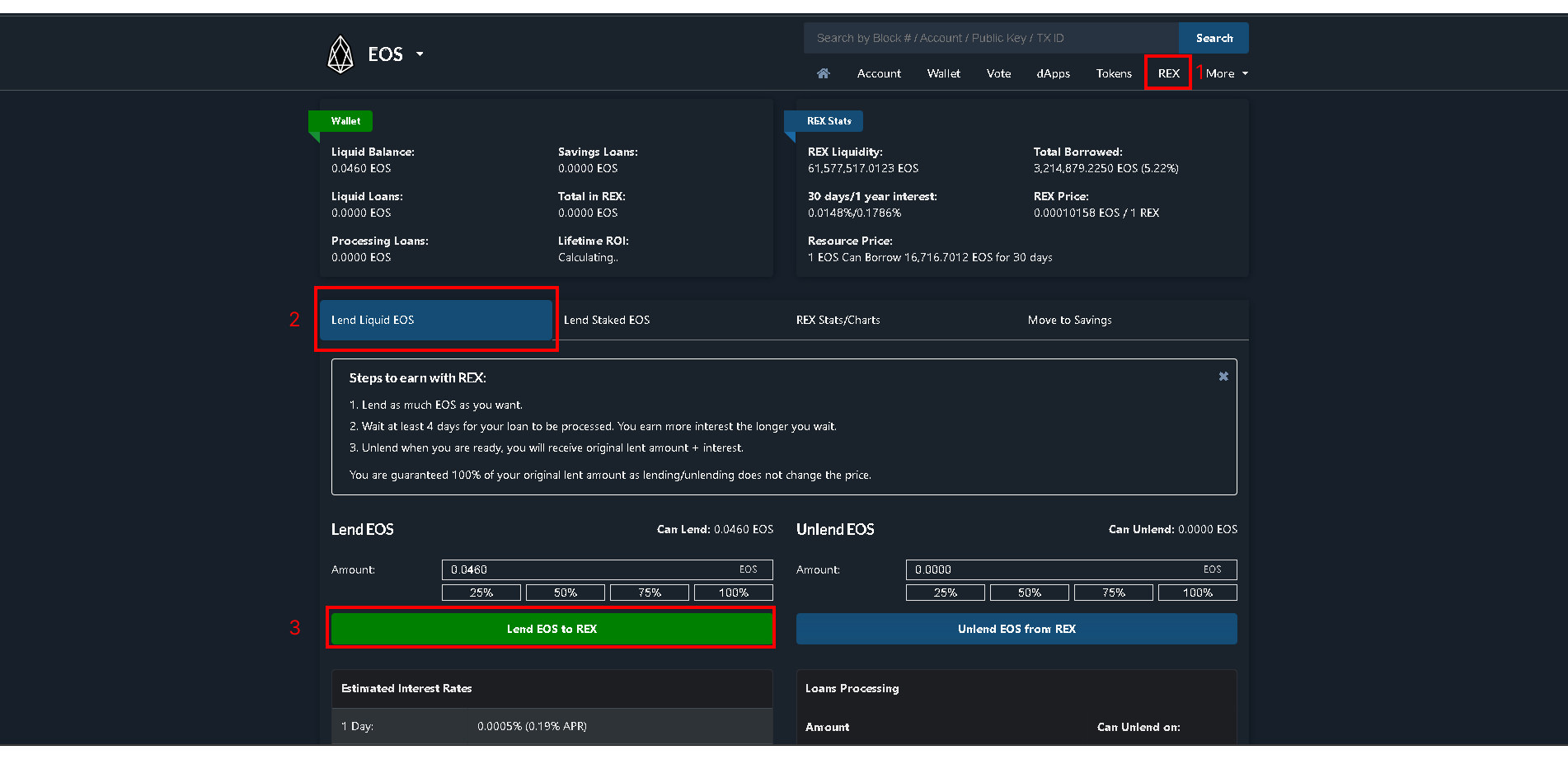
1. Go to REX.
2. Click on Lend Liquid EOS.
3. Select the amount you want to stake and click on Lend EOS to REX.

Note: If you have EOS in Staking, click on Lend Staked EOS. Then Lend [AMOUNT] Staked EOS to REX.
Transfer your REX to 'Savings' for enhanced security with an added unstaking time delay. You can find more information on this in the linked tutorial below.
How to delegate your votes to the EOS Support Proxy
Once you have staked your EOS on REX, you can delegate your Voting Power and earn 4% APY + REX rewards.
Go to Vote on Bloks.io, then enter eossprt.spt in the Enter Proxy EOS Username field and then click on Proxy to. Or, click this link, click on the Proxy to eossprt.spt button and sign with your wallet.
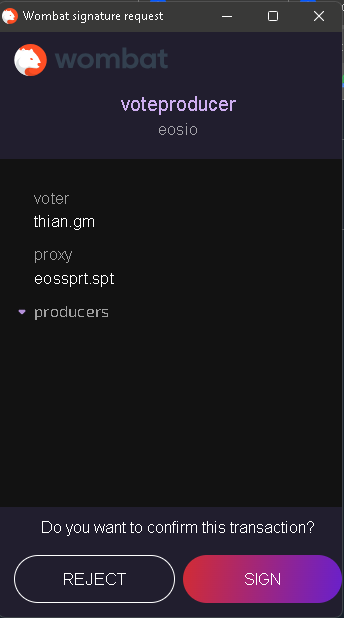
Note: A window for signing the transaction will be displayed.
You successfully staked your EOS for rewards! Your proxy rewards will be transferred every day to your EOS Account (in the CPU resources). Learn here, how to check and optimize your proxy yield.
Author: Cristhian Rincon
Editor: Markus Hinrichs
Sources & References:
EOS Support Learning Center
Image Credits:
Screenshots from bloks.io and Wombat Wallet Extension
Last updated:
Was this article helpful?
Have a specific question about this article?